
 Send Inquiry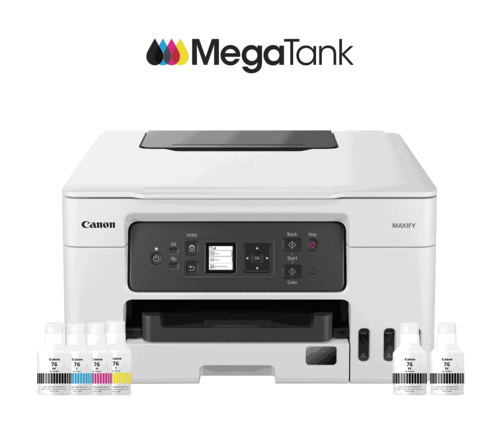
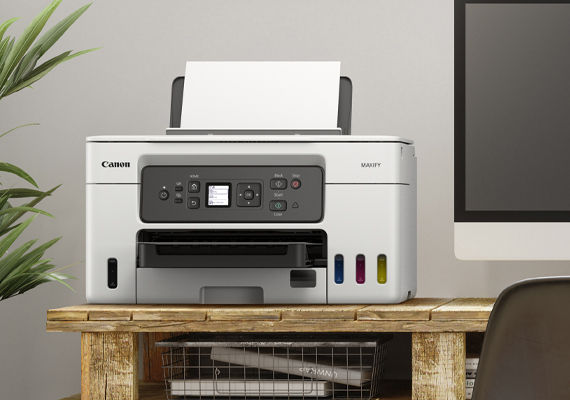
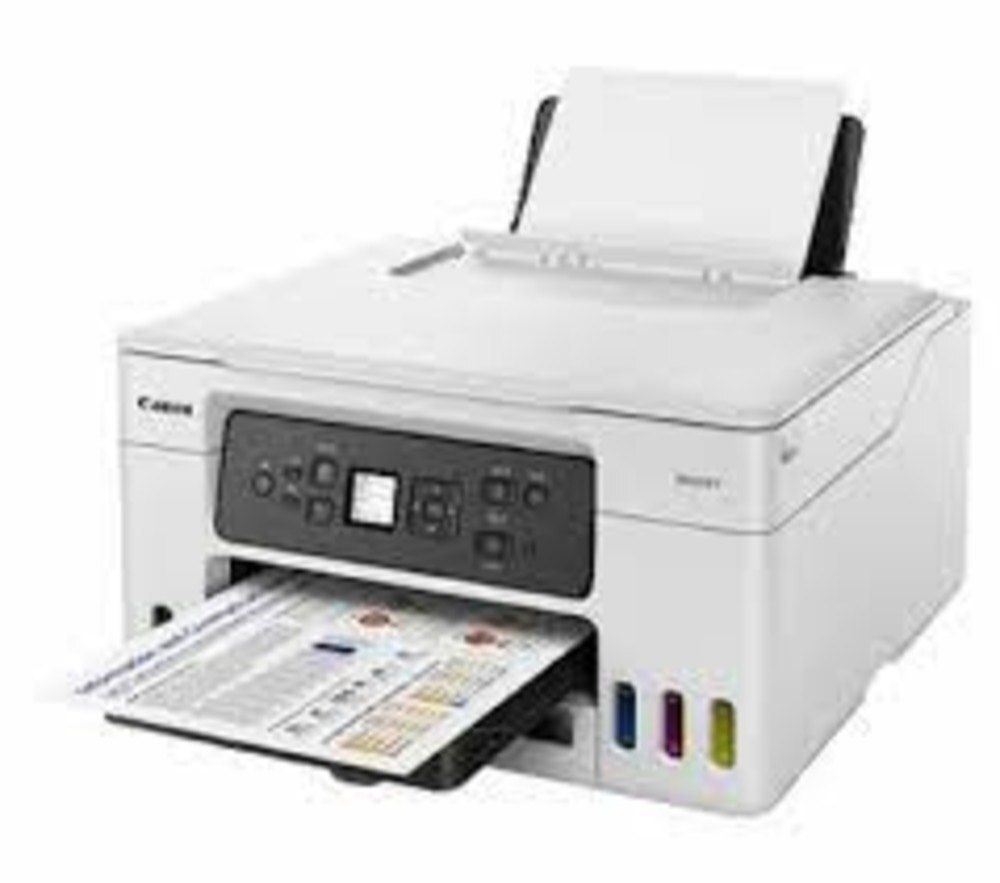

MAXIFY GX3072 PRINTER
Product Details:
- Processor Type ARM
- Print Technology Inkjet
- Print Speed 18 ipm (mono), 15 ipm (color)
- Usage & Applications Document printing, photo printing, scanning, copying
- Processor Speed 400 MHz
- Cabinet Material ABS plastic
- Features Duplex Printing, Wireless, Mobile Printing, High Page Yield
- Click to View more
MAXIFY GX3072 PRINTER Price And Quantity
- 53465 INR/Piece
- 1 Piece
MAXIFY GX3072 PRINTER Product Specifications
- Duplex Printing, Wireless, Mobile Printing, High Page Yield
- ABS plastic
- 5C - 35C
- Office, Home, Commercial
- 400 MHz
- Print, Scan, Copy
- 1090% RH (no condensation)
- Approx. 49.0 dB(A)
- ~8.1 kg
- AC 100-240V, 50/60Hz
- Automatic
- 600 x 1200 dpi
- A4
- ARM
- Inkjet
- Document printing, photo printing, scanning, copying
- 18 ipm (mono), 15 ipm (color)
- 18 ipm
- 27 W
- Internal
- New
- Plastic
- 15 ipm
- 250 sheets (input)
- 399 x 416 x 239 mm
- USB, Ethernet, Wi-Fi
- 2.7-inch LCD touchscreen
- Wi-Fi, Ethernet, USB, Mopria, AirPrint
- Windows, macOS, Linux
- Yes (up to A4)
- Approx. 8 sec (mono), 10 sec (color)
- Yes
- Approx. 11 ipm (sFCOT)
- Temperature: 5-35C; Humidity: 10-90% RH
- Pigment-based
- 150 - 1500 pages
- 4 (Cyan, Magenta, Yellow, Black)
- 1200 x 2400 dpi
- Canon PRINT app, Apple AirPrint, Mopria Print Service
- Flatbed CIS
Product Description
Ultra High Page Yield Ink Bottles-With ultra-high page yield ink bottles that print up to 9,000* pages (mono) and 21,000* pages (colour), perfect for demanding office printing without worrying about ink costs!
Highlighter & Water Resistant Prints-The quick-drying pigment ink ensures high-quality document printouts that resist fading or moisture and accidental exposure to water.
Easy Maintenance-The easy-to-replace maintenance cartridge makes maintenance fuss-free and extends printer lifespan even when printing in high volumes.
Straight Paper Path-The additional straight paper path allows for single-sheet feeding of thick paper materials such as paperboard, in various sizes and thicknesses up to 0.7 mm.
Media Versatility for Varying Business Needs-Supports a variety of print media including sticker paper, glossy paper, banner paper, paperboard, window envelopes and more to meet all your business needs.
Compact, Space Saving Footprint-The printeris compact footprint allows it to fit into tight spaces with ease.
Advanced Connectivity Options
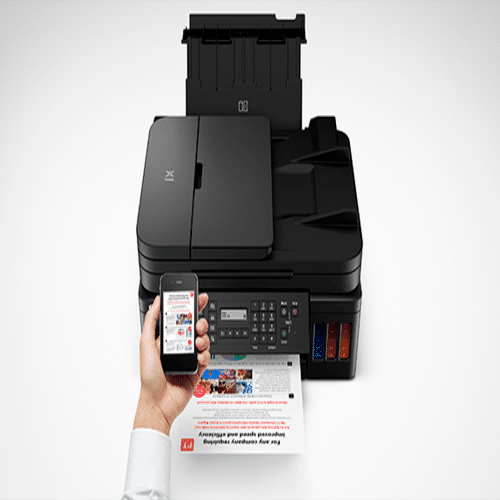
The MAXIFY GX3072 makes printing convenient with its multiple interfaces including Wi-Fi, Ethernet, and USB. Mobile printing is also streamlined through the Canon PRINT app, Apple AirPrint, and Mopria Print Service, allowing direct printing from smartphones and tablets. This flexible connectivity ensures seamless integration into various work environments.
High Efficiency and Performance
Engineered for speed and reliability, the GX3072 delivers first print out times as fast as 8 seconds (mono) and 10 seconds (color). It boasts an impressive print speed of 18 ipm for black and 15 ipm for color. Borderless printing up to A4 size and duplex capabilities enhance productivity for busy offices.
Exceptional Print Quality and Durability
Utilizing pigment-based inks and a maximum resolution of 600 x 1200 dpi, the GX3072 produces sharp, vibrant prints ideal for texts, reports, and photo documents. High page yield and Energy Star certification ensure cost-effective and eco-friendly operation for long-term use.
FAQ's of MAXIFY GX3072 PRINTER:
Q: How do I connect the MAXIFY GX3072 printer to Wi-Fi?
A: To connect the GX3072 to Wi-Fi, use the 2.7-inch LCD touchscreen to access network settings, select your Wi-Fi network, and enter the password. Wireless setup can also be facilitated using the Canon PRINT app on your mobile device for quick configuration.Q: What types of documents can I print with the MAXIFY GX3072?
A: The printer is suitable for a wide range of printing applications including business documents, reports, photos (borderless up to A4), forms, and presentations, delivering both mono and color prints with excellent clarity and durability.Q: Where is the MAXIFY GX3072 typically used?
A: The GX3072 is ideal for office, home, and commercial settings. Its performance and high page yield capabilities cater to environments that require efficient document processing, scanning, and copying for various business and personal needs.Q: What is the benefit of pigment-based ink in the MAXIFY GX3072?
A: Pigment-based ink ensures prints are water-resistant, less prone to smudging, and deliver lasting color vibrancy, making it particularly advantageous for essential business documents and professional presentations.Q: When should I replace the ink in my MAXIFY GX3072 printer?
A: Replace the ink when you notice faded prints or when the printer's LCD touchscreen notifies you that ink levels are low. The high-yield ink system allows for extended intervals between replacements, supporting volumes of up to 1500 pages monthly.Q: How do I use mobile printing features with this printer?
A: You can print directly from smartphones and tablets using the Canon PRINT app, Apple AirPrint, or Mopria Print Service. Ensure your mobile device and the printer are on the same network and follow the app instructions for straightforward operation.Q: What process should I follow for scanning documents?
A: Place your document on the flatbed CIS scanner, choose the scan function via the touchscreen, and select desired resolution up to 1200 x 2400 dpi. The scanned file can be sent to your computer or saved to a connected USB device.
Price:
- 50
- 100
- 200
- 250
- 500
- 1000+

Other Products in 'Ink Tank Printer' category


Developed and Managed by Infocom Network Private Limited.

